

Successful email marketing sends useful, relevant messages to an audience you have permission to contact, then measures whether those messages help people take the intended next step. A campaign needs more than an attractive template: it needs a clear offer, reliable delivery, a working destination, and a way to stop receiving messages.
This Brand Vision guide organizes 20 steps into planning, content, testing, and automation, followed by campaign examples and measurement guidance. Use it to build an email marketing strategy or diagnose an existing program. Start with one campaign you can operate reliably instead of launching every feature at once.
What Email Marketing Can Do for Your Business
Email can support education, purchases, bookings, product adoption, and ongoing customer relationships. A newsletter helps people return to useful information; an offer helps them evaluate a purchase; a service message helps them complete something they have already started. These purposes need different content and measures of success.
Its value depends on the audience, offer, execution, and cost, not simply the size of a database. Assess your own revenue or qualified enquiries against platform fees, production time, and other campaign costs. Do not assume a universal return per dollar or that more sends mean better results.
The channel predates modern marketing platforms. Ray Tomlinson developed network email in 1971; the Computer History Museum dates Gary Thuerk's early unsolicited commercial email to May 3, 1978. They were different developments. The subscription-based approach in this guide is built around permission, not that early unsolicited model.
Plan a Successful Email Marketing Strategy: Steps 1 to 5
Complete the audience, permission, and measurement decisions before sending. The later sections on regulations and sender requirements are part of that review, not optional checks to leave until a campaign is scheduled.
1. Define the Goal and Campaign Brief
Clear objectives help keep campaigns targeted and purposeful. Choose a primary outcome, such as qualified enquiries, completed purchases, event registrations, or product adoption, and connect it to your wider marketing strategy. Define how it will be measured before sending.
Write a brief that identifies the eligible audience, the offer, the destination, the campaign owner, and the period over which results will be evaluated. Define the completed action precisely: clicking a registration button is different from successfully registering. Keep complaints, unsubscribes, and costs in the same review.
2. Choose an Email Service Provider
Selecting the right email service provider, or ESP, is an early decision. Mailchimp, Constant Contact, and HubSpot are examples to evaluate, not interchangeable recommendations. Compare the features you need, audience size, sending limits, integrations, support, and total cost using each provider's current documentation.
Test everyday tasks before committing: creating a signup form, updating a segment, previewing an email, exporting consent records, and suppressing an unsubscribed contact. Confirm who manages authentication and what happens to your data and templates if you change providers.
When comparing claims about the best email marketing software, check your actual requirements rather than choosing by the longest feature list. Confirm that the subscription tier you are considering supports the workflows you tested.
3. Build a Permission-Based Contact List
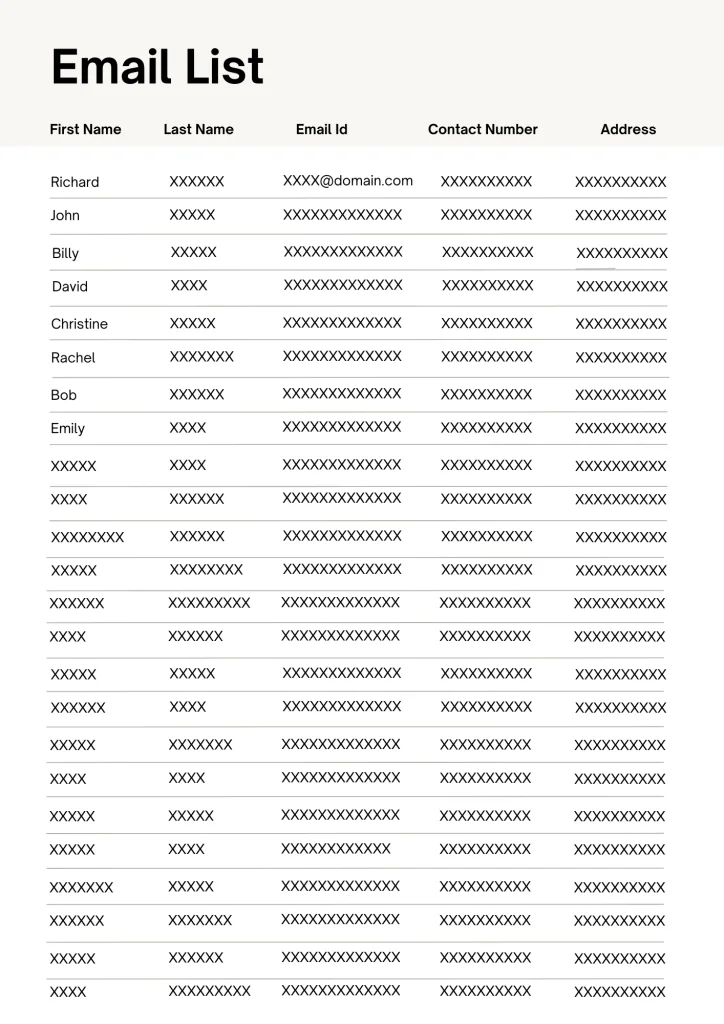
Build a list of people genuinely interested in your products or services. Add a clear newsletter signup to relevant website pages and offer appropriate opt-in opportunities during checkout or customer surveys. Explain the content and expected frequency, and separate optional marketing signup from the information needed to complete a purchase or request.
Good website design makes the signup understandable, usable on mobile, and easy to complete. Test the confirmation message and the connection to your ESP. Keep the consent wording, source, and date with the contact record rather than recording an email address alone.
Understanding how to scrape emails does not establish permission to add those addresses to a newsletter. A publicly visible address, an extracted address, and an opted-in subscriber are different things. Build this program around voluntary subscriptions and check the rules that apply to each audience before importing third-party contacts.
4. Segment With Inclusion and Exclusion Rules
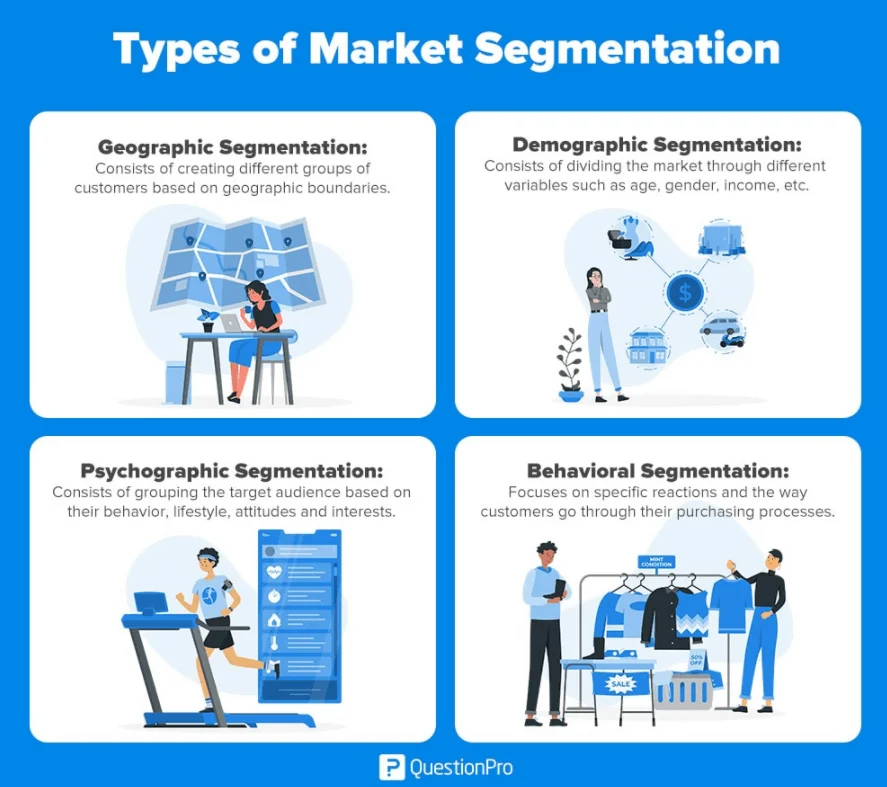
Segmentation groups subscribers by useful differences in their needs or relationship with the business. Start with criteria you can explain and maintain. Your brand strategy can help define which needs the business is positioned to serve, while subscriber preferences show what people actually want to receive.
- Separate new subscribers, active prospects, and existing customers when their next steps differ.
- Use stated interests to send relevant product categories or educational topics.
- Use location or other demographic information only when it materially changes the message and is appropriate to collect.
Write the inclusion and exclusion rules for each send. For a hypothetical introductory webinar, include eligible subscribers interested in the topic, then exclude people who already registered, unsubscribed, or entered a conflicting sequence. Recheck membership at send time when the data can change; a saved export can become outdated.
5. Maintain List Hygiene and Suppression
Regularly clean up your email list by addressing invalid addresses, duplicates, unsubscribes, and complaints. Keep a suppression record so contacts who opted out are not accidentally added again during an import or integration update.
Even the best email extractor only helps pull addresses from text; extraction does not prove consent, interest, or inbox delivery. Validation and permission are separate checks.
For contacts you can still lawfully email, consider a limited re-engagement message or preference update. Review clicks, replies, purchases, and subscription age together rather than labelling everyone without a recorded open inactive.
Write and Design the Campaign: Steps 6 to 11
6. Choose the Message and Sending Method
Choose one main message and a useful next action. Your branding should remain recognizable through the sender name, tone, design, and destination page, not just a logo in the header. Draft the email and landing page together so their offers and expectations match.
A broadcast is scheduled for a selected audience; an automated message is triggered by an event or rule. Choose the method that fits the task. A monthly newsletter may be a broadcast, while delivery of a promised signup resource is usually better tied to that signup. Neither method removes the need for audience checks.
7. Write the Subject Line and Preview Text
Write subject lines that are clear, brief, and directly related to the email's content. Put the useful detail early, then use preview text to add information rather than repeat the same sentence. Test how both appear in the email clients your audience uses.
Keep your brand voice and tone appropriate to the message. A product launch can sound different from an account notice without pretending to be a personal reply. Avoid false urgency, misleading promises, or a subject that the email does not fulfil.
For a hypothetical planning workshop, a subject such as “Build your quarterly plan in Thursday's workshop” explains more than “A special invitation.” Preview text could add the duration and intended audience. Use only details that the actual event delivers, and test the combination in a real inbox.
8. Make the Content Useful and Scannable
Whether you share educational information, special offers, exclusive content, or product updates, make the message relevant and genuinely useful. Answer the reader's likely question before asking for an action. Remove repeated introductions and information that does not help the recipient decide what to do next.
Use images and diagrams when they explain the offer, not merely to fill a template. Keep essential details in readable text and check any claims, prices, terms, or dates before sending.
Give campaign graphics a specific job, such as showing a product difference or illustrating an instruction. Avoid turning the entire email into a single image: the main offer and action should remain understandable when images are unavailable.
9. Personalize With Sensible Fallbacks
Personalization should make a message more useful, not simply more familiar. First names are optional; accurate product recommendations, relevant resources, and an appropriate next step may matter more.
Use information people provided or that you are permitted to use. A subscriber's stated product interest can inform recommendations. A birthday offer needs an appropriate reason to collect that information. A cart reminder should stop after the purchase and follow applicable marketing rules.
Test missing names, outdated preferences, and unavailable products. Provide a sensible fallback so recipients never see an empty greeting or an unresolved template field.
10. Match the Call to Action to the Destination
Give each email a primary action that matches its purpose, such as booking a call, registering for an event, or reading a guide. Use wording that explains the destination rather than a vague instruction. A newsletter can contain several useful links without making every link compete as the main action.
Keep the offer, eligibility, price, and deadline consistent after the click. Urgency should reflect a real deadline or limitation, not a device added to every message. Test the action from the received email through to a successful confirmation.
11. Test Mobile Readability and Accessibility
Make emails easy to read and navigate on both computers and phones. Preview narrow screens, increased text sizes, dark mode, and images turned off. Keep the main action visible and usable without precision tapping, and avoid layouts that require horizontal scrolling.
Use descriptive links and appropriate text alternatives for meaningful images. Decorative images can have empty alt text. Consider the entire user experience: a readable email still fails if its landing page, form, or checkout is difficult to use on the same device.
For the destination page, use the website accessibility testing checklist to review forms, focus, and text resizing. Website testing complements email-client previews; it does not replace them.
Test, Send, and Improve: Steps 12 to 17
12. Verify Delivery and Authentication
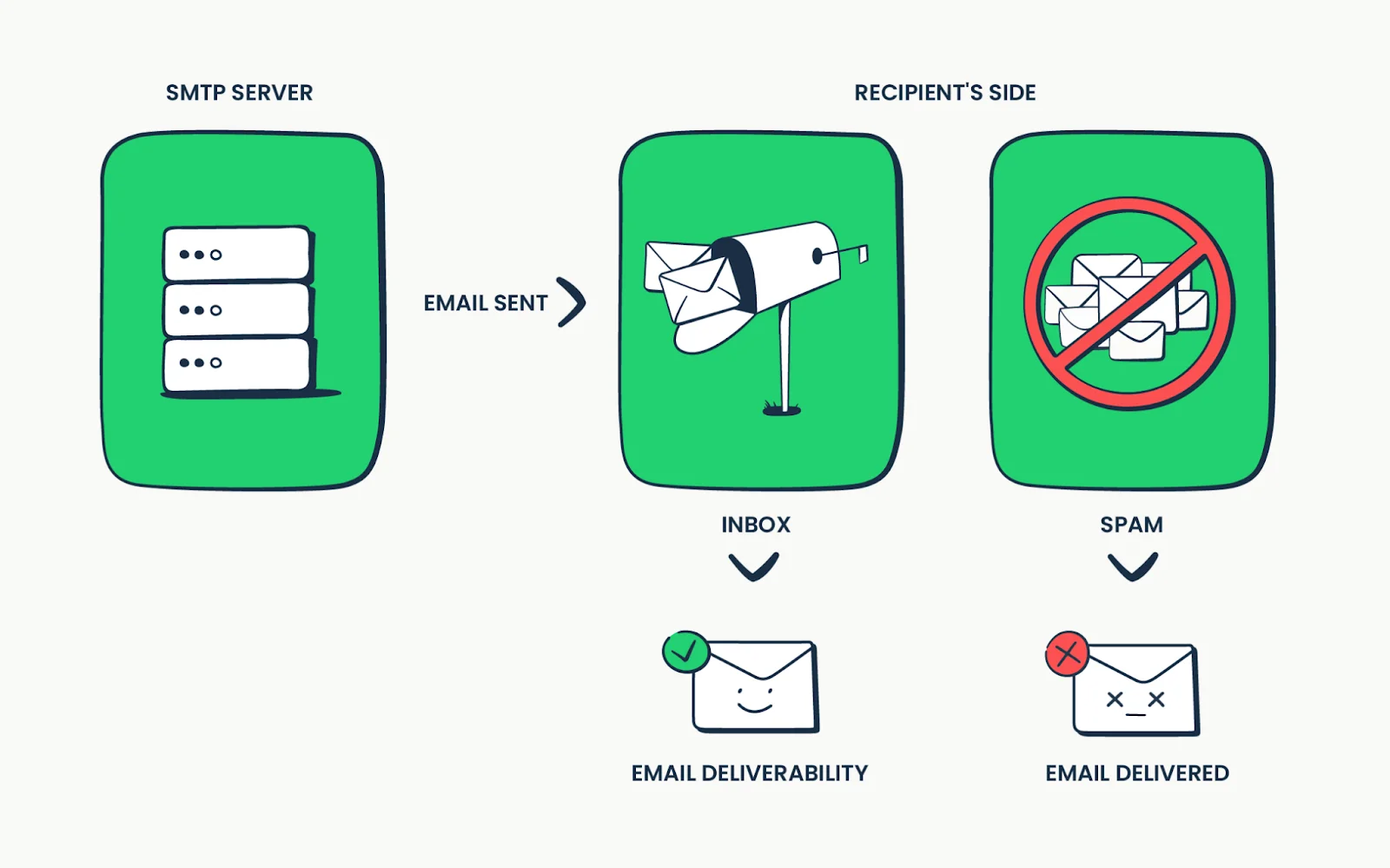
Delivery and inbox placement are different. A message accepted by the receiving server may still reach spam rather than the inbox. Review bounces, deferrals, complaints, and authentication results instead of assuming a provider's delivered count proves visibility.
Assign responsibility for the sending domain and technical setup. Check the mailbox providers' requirements, discussed below, and investigate changes before increasing volume. A reputable ESP provides infrastructure, but it cannot guarantee inbox placement for an unwanted or misconfigured campaign.
13. Run an End-to-End Pre-Send Test
Send test messages to representative devices and email clients. Check the sender, subject, preview text, links, images, personalization, footer, unsubscribe route, and layout. Test with missing data as well as complete contact records.
Follow every primary link to its destination and complete the form or purchase using an appropriate test method. The website design checklist helps extend that review beyond the inbox to the page people actually use. Assign a final approver and confirm the audience count before scheduling.
14. Choose a Sustainable Sending Schedule
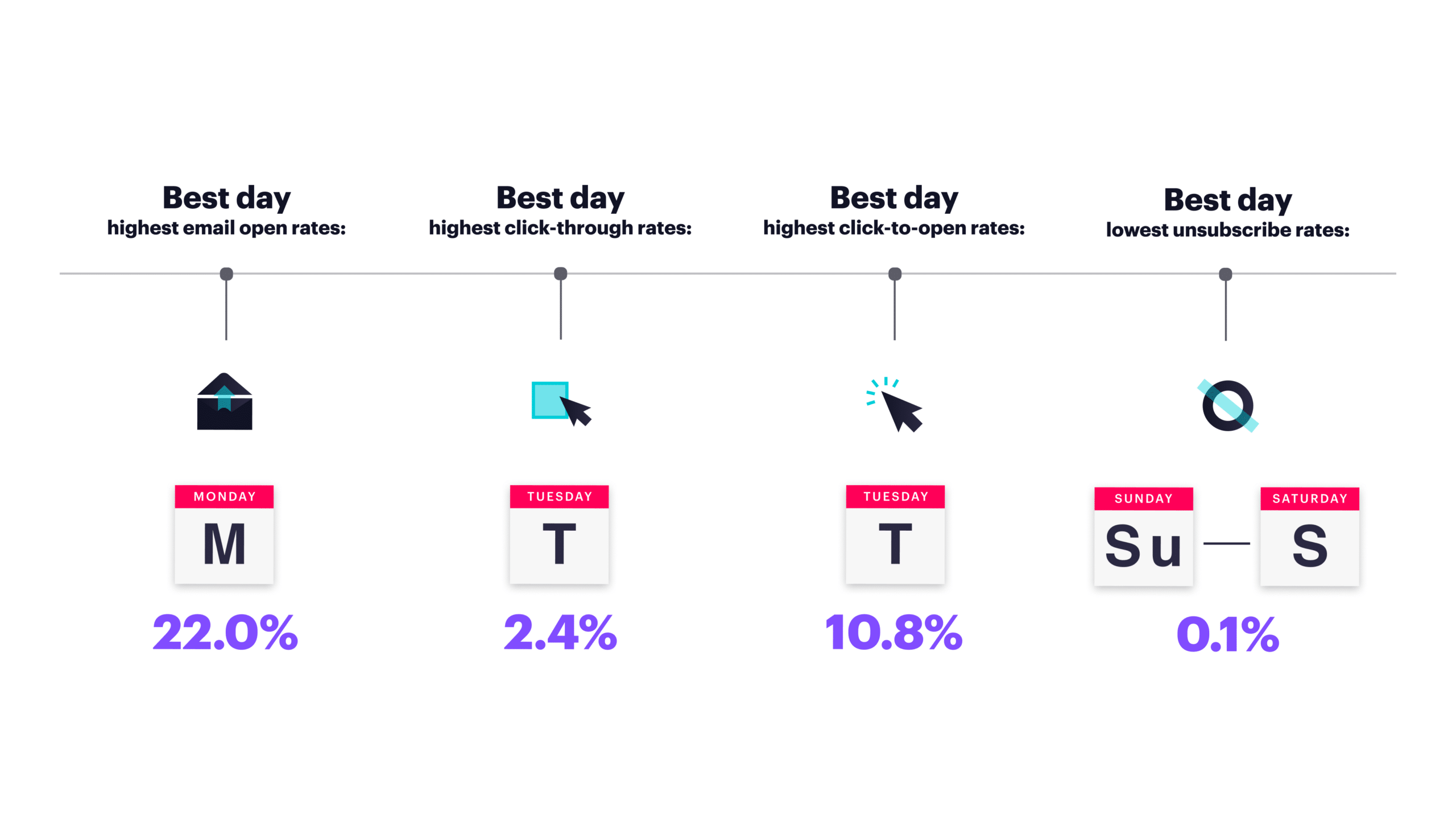
Consider your audience's time zones, expectations, and previous responses when scheduling email. There is no universal day or hour that works for every list. Compare similar campaigns at different times rather than treating a seasonal sale and a routine newsletter as equivalent tests.
Review the total number of messages a person receives, including automated sequences. A reasonable newsletter schedule can still become overwhelming when several triggered campaigns run alongside it.
15. Confirm the Measurement Setup
Set up the reporting before the first send. Record delivered messages, unique clickers, completed actions, unsubscribes, complaints, and costs. Decide which events count and how long after the send they can be attributed to the campaign. The measurement section below explains the calculations and limitations.
Test that the destination records the completed action, not just the button click. Exclude internal tests and duplicates from the campaign review, and distinguish a received enquiry from one that meets your qualification criteria.
16. Run Focused A/B Tests
A/B testing compares two versions of a campaign. Change one meaningful variable, such as a subject line or CTA wording, and randomly assign eligible subscribers to non-overlapping groups. Keep the offer, timing, and other conditions comparable.
Choose the success metric and observation period before the test. Use an outcome that fits the question, and consider privacy and automated activity when interpreting opens or clicks. A small difference from a tiny audience is not a reliable winner; record an inconclusive result when the evidence is weak.
Resist stopping a test as soon as one version looks better. For a small list, focus on clear hypotheses and repeatable learning rather than selecting a winner from a handful of responses.
17. Use Results to Choose the Next Fix
Email marketing has no single formula that guarantees success. Review delivery failures, clicks, conversions, unsubscribes, and complaints after each campaign. Compare similar audiences and offers, and record changes so you can explain why one send differed from another.
Distinguish a content problem from a technical problem. A broken checkout needs a different response from an irrelevant offer. Make a focused improvement, document the reason, and check the next result before changing the entire program.
Automate and Maintain the Program: Steps 18 to 20
18. Define Automation Triggers, Stops, and Re-entry
Automation can handle welcome emails, educational sequences, and appropriate follow-ups without recreating each message. Define what starts the sequence, when messages send, and what stops them. Include exclusions for unsubscribes, completed purchases, resolved support issues, and contacts already in a conflicting sequence.
Test with sample contacts before activation and give someone responsibility for monitoring failures. For a more focused planning framework, see the guide to email sequences for service businesses. Use the measurement and permission checks in this guide when adapting sequence examples.
For a hypothetical event sequence, a registration should stop promotional reminders and start the appropriate confirmation flow. Test a registration immediately before the next reminder is due, not only at the start of the sequence. Document re-entry rules so a later data sync cannot restart a completed journey. Do not use a recorded open alone to decide that someone needs another sales message.
19. Monitor Replies and Subscriber Feedback
Make sure replies reach a monitored inbox and that the team knows who handles questions, complaints, and requests to stop marketing. Respond in a way that fits the issue rather than treating every reply as another sales opportunity.
Use recurring questions to improve future content. When a recipient says an offer was unclear or irrelevant, investigate the message and segment before concluding that the audience needs more follow-up.
20. Keep the Promise as the Program Grows
Every email should have a reason to exist. Keep the signup promise in view and avoid overwhelming subscribers with messages that repeat the same offer. Offer topic or frequency preferences when useful, without making a full unsubscribe difficult.
Review results by segment over time. Falling engagement or rising complaints may indicate excessive frequency, but they may also reflect a poor offer, stale data, or technical trouble. Diagnose the cause before changing the schedule.
Use shared templates and a named owner as more people contribute. Connect them to your visual identity, while documenting which copy and images may change. The visual identity guide explains how to test those rules and hand them over to contributors.
Seven Types of Email Campaigns and Examples
Choose a campaign type by the recipient's need, then decide whether to schedule it or trigger it automatically. These are overlapping purposes, not seven mutually exclusive categories. An order confirmation is also transactional, and a seasonal offer is promotional. The scenarios below are hypothetical, not reported campaign results.
1. Welcome Emails
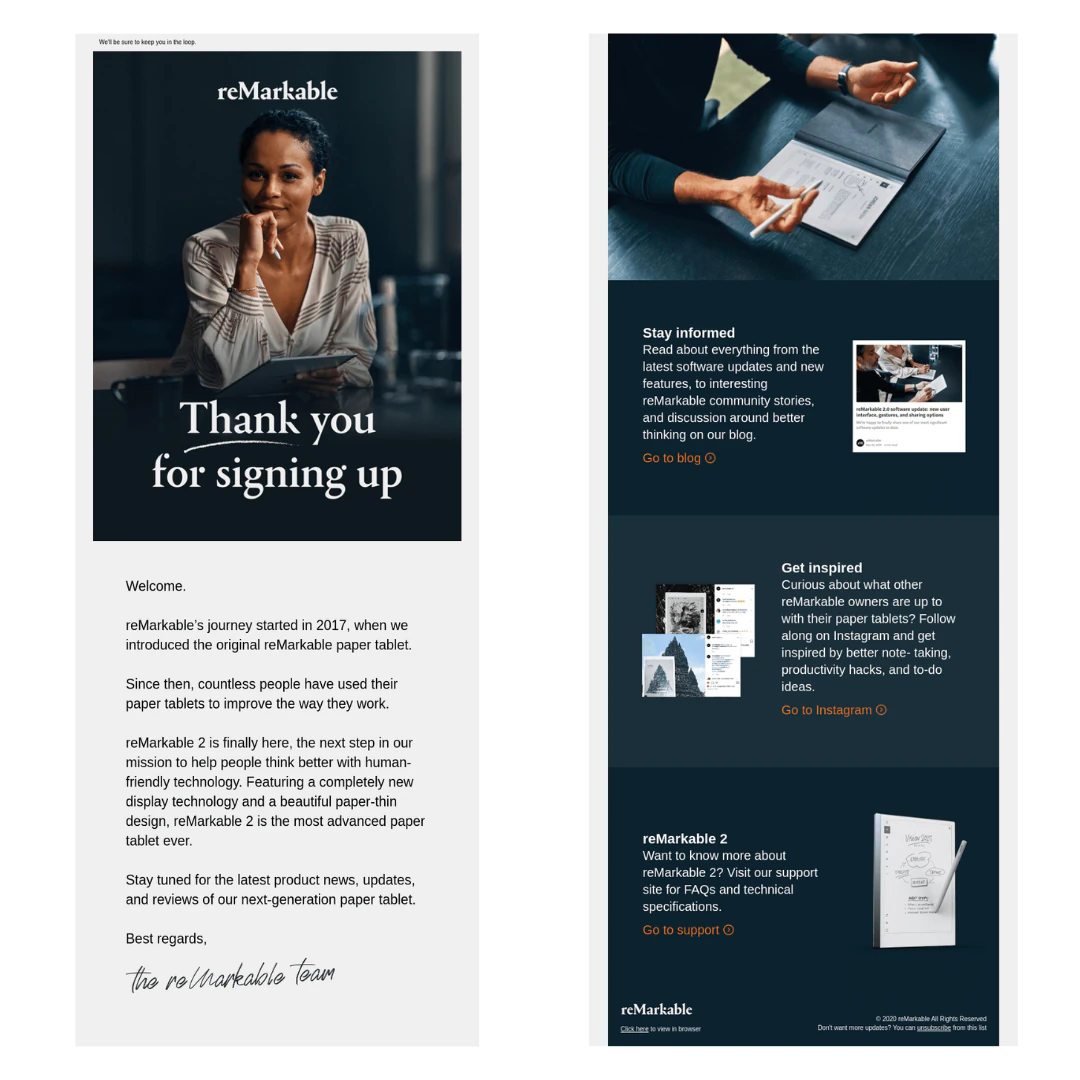
Welcome emails introduce the business, acknowledge the subscription or customer action, and explain what happens next. Deliver any promised resource or offer before asking for more engagement.
A fashion retailer might provide the 10% first-purchase discount offered at signup, with its conditions clearly stated. A software company might introduce one useful feature and link to an appropriate getting-started resource. In both cases, the message should match the reason the person joined.
2. Newsletter Emails
Newsletters provide useful information on a regular schedule, such as news, tips, product updates, or curated resources. Choose a cadence the team can maintain and that subscribers understand. A newsletter does not need a promotion in every issue to be useful.
A cooking blog might send monthly recipe highlights, kitchen tips, and information about upcoming classes. A technology company might share product changes and practical user guides. Keep the summary useful on its own, then link to the full resource for readers who need more detail.
3. Lead Nurturing Emails
Lead nurturing supports people who have expressed interest but are not ready to purchase. Answer their questions, explain the offer, and address practical concerns without assuming that every contact needs the same sales sequence.
For B2B marketing, a sequence might move from an educational guide to a relevant, accurately represented case study and then an invitation to discuss requirements. Use genuine evidence and permissions for customer stories. Stop or change the sequence when the person's stage changes, and do not invent outcomes to make an example persuasive.
4. Promotional Emails
Promotional emails highlight a product launch, sale, event, or other offer. Explain what is available, who it is for, and how to act. Use a deadline only when it is real, and include important exclusions or conditions where people can find them.
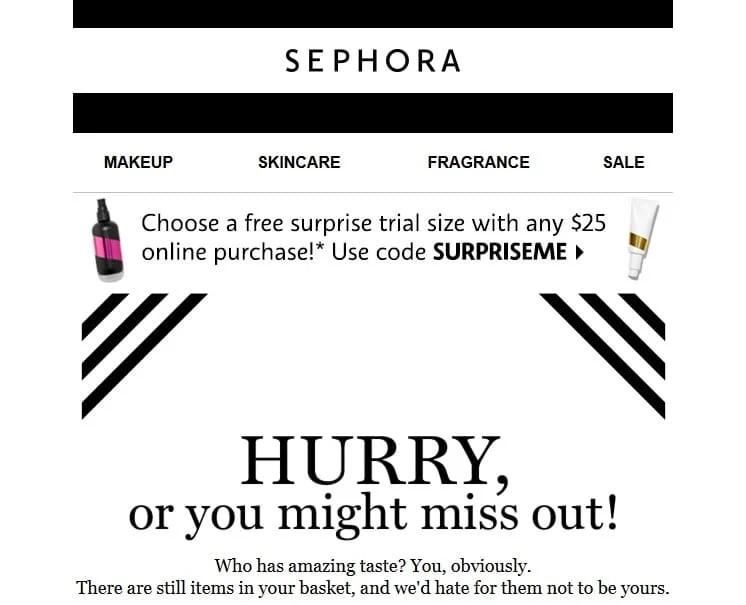
A launch email might explain a product's features and link to its details. A flash-sale email might state a genuine end time and eligible products. An event announcement might provide the date, location or online format, and registration route. Choose the structure around the recipient's decision rather than making every promotion sound urgent.
5. Seasonal Marketing Emails
Seasonal emails connect useful content or offers with a relevant holiday, season, or event. Plan around the audience's location and interests instead of assuming everyone celebrates the same occasions or shops on the same schedule.
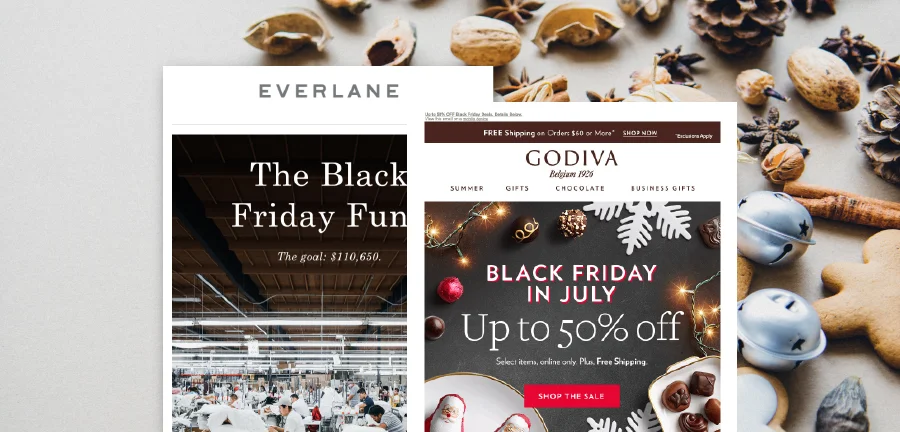
Examples include holiday gift guides, back-to-school bundles, seasonal recipes, or event-related resources. Check stock, service availability, delivery cutoffs, and time zones before promising that an offer will arrive or remain available. Coordinate seasonal campaigns with existing automations so recipients are not overwhelmed.
6. Transactional Emails
Transactional emails communicate information about an action or service, such as an order, shipment, account change, or password reset. Prioritize the details recipients need: what happened, any required action, and where to get help.
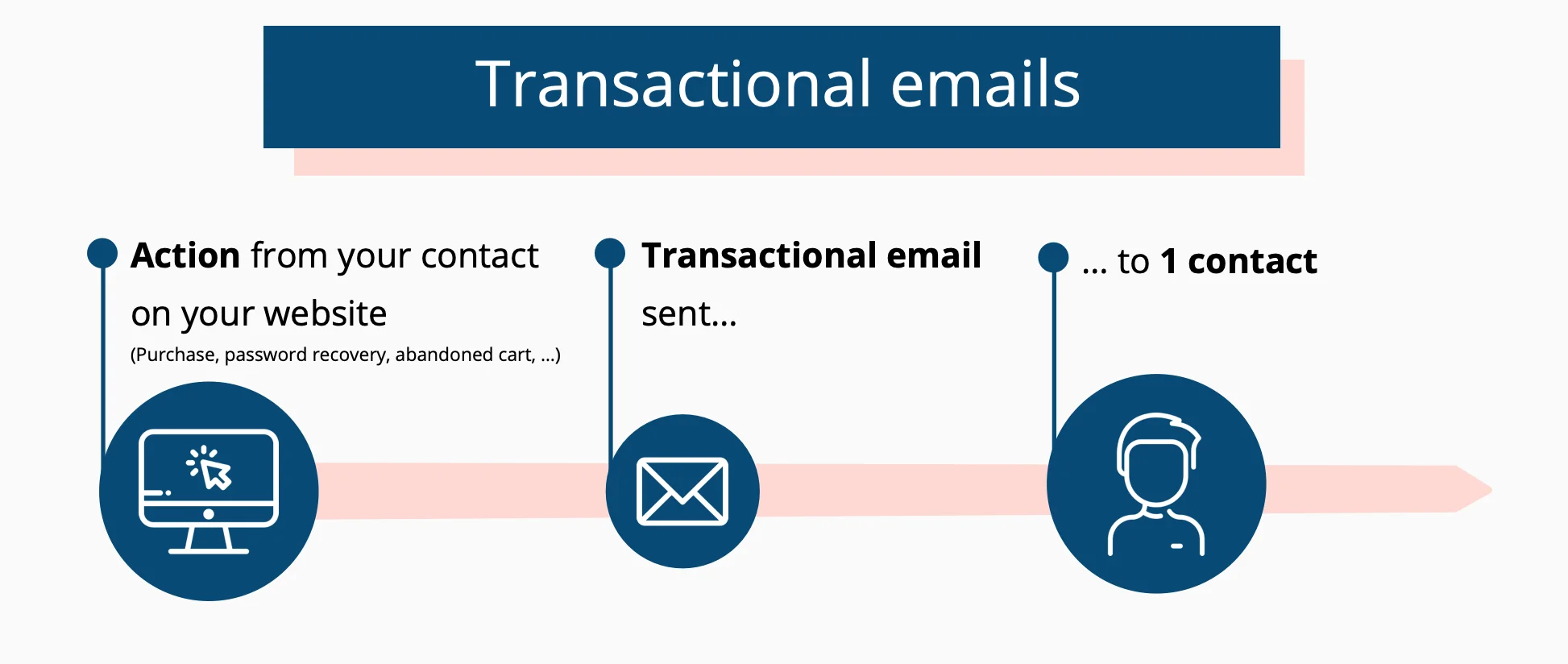
- Order confirmations can summarize the purchase, reference number, and relevant delivery information.
- Shipping notifications can provide the carrier and tracking route without adding unsupported arrival promises.
- Account messages can explain a change or provide the requested recovery instructions.
Do not assume that labelling a message transactional exempts it from marketing rules. Its content and purpose matter, and adding promotions can change the assessment. Review the applicable rules before combining necessary account information with advertising.
7. Confirmation Emails
Confirmation emails acknowledge an action such as a registration, purchase, or subscription request. Make the status explicit: a request received, an action completed, and an action awaiting verification are not the same thing.
A double opt-in email asks the recipient to confirm a subscription; it should not imply confirmation has already occurred. An event confirmation should include the date, time zone, location or joining instructions, and relevant reference details. A purchase confirmation overlaps with transactional email and should make order information easy to find.
How to Measure Successful Email Marketing
Connect reporting to meaningful marketing metrics. Use the same audience definitions, attribution window, and calculation method when comparing sends. A delivered message has been accepted by the receiving server; it is not proof of inbox placement or human attention.
Define Each Rate Before Comparing It
- Calculate a delivered-message click rate as unique recipients with a tracked click divided by delivered messages, multiplied by 100. Use available bot filtering and record its limitations.
- Calculate a delivered-message conversion rate as unique recipients completing the defined action divided by delivered messages, multiplied by 100. State the attribution window and how recipients are matched to outcomes.
- Report the actual numbers of unsubscribes and complaints alongside rates. Record the denominator used by each platform, because provider complaint rates may use a different base from your ESP report.
In a hypothetical campaign, 1,000 messages are delivered to 1,000 subscribers, 80 recipients have a recorded click after bot filtering, and 12 of those recipients complete the intended registration within seven days. The delivered-message click rate is 8%, and the delivered-message conversion rate is 1.2%. The 15% conversion rate among clickers answers a different question. These are arithmetic examples, not recommended benchmarks.
Treat Opens and Clicks as Imperfect Signals
Opens are not a reliable count of readers. Apple Mail Privacy Protection can download remote content in the background regardless of engagement. Mailchimp's explanation of bot activity in email reporting also describes automated scans that can inflate opens and clicks.
Use available filtering and compare tracked interactions with replies and completed actions. Avoid judging success, removing subscribers, or triggering follow-ups solely from open data. Attribute results according to a documented model; a sale after an email is not, by itself, proof that the email caused it.
How to Diagnose Weak Campaign Results
When Recorded Opens Change
Check audience mix, sending domain, authentication, bounces, and changes in tracking or bot filtering before blaming the subject line. Keep the sender recognizable and compare similar campaign types. A seasonal promotion and an account notice are not interchangeable benchmarks.
No fixed character count guarantees full subject-line display. Client, device, font, and layout affect the available space. Put the important information first and use actual inbox previews rather than treating 41 to 50 characters as a universal rule.
When People Click but Do Not Convert
Review the audience, offer, and destination together. Check for unexpected costs, unavailable products, a changed offer, difficult mobile forms, and missing confirmation. First establish that reported clicks are likely to be meaningful and that conversion tracking works.
A conversion rate optimization review can separate messaging problems from friction in the website journey. Record the specific failure and test a focused change rather than redesigning everything at once.
When Unsubscribes or Complaints Rise
Review the original signup promise, recent imports, segment rules, and every message the recipient received, including automation. Pause an affected send when permission or technical configuration is unclear. More reminders are not a remedy for unwanted content.
Email Regulations and Consent
Applicable rules depend on the sender, recipients, message purpose, and jurisdictions involved. Legal requirements and mailbox-provider policies are separate obligations. This overview is a starting point for review, not legal advice or a complete compliance assessment.
CAN-SPAM in the United States
The FTC's CAN-SPAM guidance covers commercial email, including business-to-business messages. Use accurate headers and subject lines, identify advertising as required, include a valid physical postal address, and provide a clear opt-out. Honour opt-outs within 10 business days and keep the mechanism working for at least 30 days after sending. Using a vendor does not remove your responsibility.
CAN-SPAM does not generally require prior opt-in consent for commercial email, as the FTC explains. That does not override other applicable laws or provider policies. Voluntary subscription remains the recommended foundation for the newsletter program described here.
CASL in Canada
When Canada's Anti-Spam Legislation applies, commercial electronic messages generally require consent, sender identification, and an unsubscribe mechanism, subject to exemptions. The CRTC's CASL guidance distinguishes express consent from the specific circumstances in which consent may be implied.
Record the basis relied on and any relevant time limit. Keep the unsubscribe link valid for at least 60 days after sending. Process requests without delay and no later than 10 business days after receiving them. Do not assume a purchased list, a publicly listed address, or a previous interaction automatically authorizes marketing. Review your signup process and records before sending, and make sure opt-outs are reflected across every connected system.
GDPR and European Electronic Marketing Rules
The GDPR concerns personal-data processing, not just businesses headquartered in the EU or the citizenship of a contact. Its scope can include non-EU organizations offering goods or services to people in the EU or monitoring their behaviour there.
Identify a valid lawful basis, explain the processing transparently, collect only necessary data, protect it, and establish appropriate retention and rights-request processes. Consent is one lawful basis, not the only one. Where consent is used, it must meet the applicable requirements and be withdrawable. An objection to direct marketing must stop that processing; erasure rights have conditions and exceptions rather than requiring indiscriminate deletion of every record.
The European Commission also explains that marketing with third-party contact data requires attention to lawful collection, transparency, objections, and ePrivacy rules. GDPR compliance alone does not settle permission to send marketing email. Check applicable national electronic-marketing rules and any claimed exception before sending.
Keep the operational process clear: who approves imports, where consent evidence lives, who handles requests, and how suppression reaches campaigns and automations. Ask a qualified adviser to resolve jurisdiction-specific questions and to reconcile deletion requests with any records needed to honour an opt-out.
Email Deliverability and Sender Requirements
Legal permission and mailbox-provider policies are separate obligations. There is no dependable list of words that guarantees inbox placement. Removing “free” or “buy now” cannot compensate for unwanted messages or failed authentication.
Check the Requirements for Your Sending Domain
Gmail's sender guidelines require SPF or DKIM for senders to personal Gmail accounts. Bulk senders need both, plus DMARC and appropriate alignment. For those bulk senders, marketing and subscribed messages must support one-click unsubscribe and a visible body link. Keep reported spam rates below 0.3%; investigate complaints early rather than treating the threshold as an allowance.
Google's bulk-sender FAQ describes the threshold as close to 5,000 messages or more to personal Gmail accounts within 24 hours, counting messages from the same primary domain together. Once classified, bulk-sender status does not expire. The FAQ recommends fulfilling unsubscribe requests within 48 hours and lists failure to do so as affecting delivery support.
Yahoo's sender requirements likewise specify SPF, DKIM, DMARC, easy unsubscribe, and low complaint rates for bulk senders, with unsubscribe requests honoured within two days. Do not treat a longer legal processing deadline as permission to ignore a provider's shorter expectation. Review the current rules for every provider important to your audience.
Verify the Received Message, Not Just the Settings
SPF identifies authorized sending systems. DKIM supplies a verifiable signature. DMARC checks alignment with the visible sending domain and publishes a policy for authentication failures. Have the technical owner inspect a received test message and confirm that the intended domain authenticates.
A footer link alone is not the required one-click unsubscribe mechanism. For Gmail, verify the RFC 8058 headers and the direct unsubscribe action with your ESP. Test that an opt-out reaches the suppression system before the next campaign or automated step, including after an import.
Before a major campaign, test your email deliverability to help identify technical issues. Treat the result as a diagnostic check, not a promise of inbox placement. A successful authentication test does not establish consent or show that recipients want the message.
Final Pre-Send Checklist
- Confirm the recipient rules, permission evidence, suppression list, and final audience count.
- Check that the sender, subject, offer, conditions, and destination tell the same story.
- Test images, text, personalization fallbacks, and links in representative email clients and on a phone.
- Complete the primary action, verify authentication, and test both visible and header-based unsubscribe routes where required.
- Confirm the campaign approver, reporting definitions, automation exclusions, and follow-up review date.
Hold the send when a permission question, broken action, or unresolved technical issue could affect recipients. Successful email marketing is a repeatable process of useful communication, careful delivery, and evidence-based improvement, not a fixed schedule or a universal benchmark.
Brand Vision can help connect campaign messaging, design, and landing pages through a marketing consultation. Contact our team to discuss the priorities for your email program and the experience beyond the inbox.



.webp)






