
Compelling blog content answers a specific reader’s question, supports its advice with evidence, and makes the next step clear. To write it consistently, research the audience and topic, build an outline, add useful internal links, make the language readable, attribute sources, and edit for meaning before proofreading.
Publishing blog posts on your website lets you turn your knowledge and expertise into material that educates readers while supporting your offerings. These six blog writing tips give business owners, marketers, and writers a practical process for doing that without relying on filler or exaggerated promises.

Choose the Right Type of Blog Content
Blog content can take many forms. You can publish product reviews, how-to guides, industry explainers, comparisons, opinion pieces, or articles about building your brand. Choose the format according to what the reader needs to understand or do.
- Use a how-to guide when the reader needs to complete a task. Include the steps, prerequisites, and common mistakes.
- Use a comparison when the reader needs to choose. Apply the same criteria to each option and explain the tradeoffs.
- Use an explainer when the reader needs to understand a concept. Start with a definition, then show it in a familiar situation.
- Use an opinion piece when you have a defensible position. Separate your interpretation from the evidence behind it.
For example, a hypothetical bookkeeping firm could turn the broad topic “invoicing” into “How to Create an Invoice for Your First Client.” That reader needs required fields, a worked example, and a sending checklist. A history of invoicing software would get in the way.
1. Research the Reader’s Question Before You Write
Even when you know a topic well, research is worth doing. A short research pass often surfaces a useful fact, example, update, or perspective that makes the article stronger. Start by writing one sentence that defines the reader, the problem, and the result the article should help them achieve.
For the hypothetical invoice guide, that brief might be: “Help a first-time freelancer prepare an invoice they can check and send to a client.” List what the reader already knows and what they still need. Questions from sales calls, support conversations, and existing site-search data can suggest useful starting points when that information is available to you.
Next, search the main query and inspect the results. Are readers being offered instructions, definitions, comparisons, or tools? Note recurring questions and unclear explanations. Use this to understand expectations, then decide what useful detail you can add. Do not copy another article’s structure simply because it appears in search.
Build a small research file with the source URL, publication or update date, relevant finding, and any limits on the evidence. Prefer the original study, official documentation, or first-party announcement for factual claims. A statistic about one platform, country, or survey group should keep that context when it enters your draft.
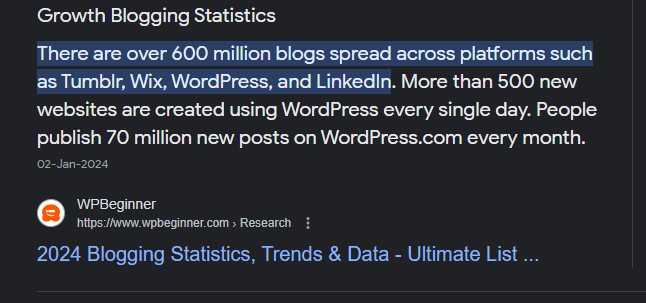
The search-result screenshot above illustrates why this matters. It shows a January 2024 result about blogging statistics. A snippet is a route to a source, not enough evidence to repeat its figures as current facts. Open the underlying material and check where the numbers came from before using them.
Commercial research services also need scrutiny. Services that let customers pay for a research paper from EssayPro are not primary evidence for a blog’s claims. If you commission research, require traceable sources and independently verify the material before attributing or publishing it.
For an ongoing business blog, connect individual briefs to a search-led content strategy. Decide which questions deserve their own articles and which belong together, so each page has a clear purpose instead of repeating the same advice.
Turn the Research Into a Short Writing Brief
Before drafting, put these decisions in one place so the writer and reviewer are working toward the same result:
- Who is reading, and what question brought them here?
- What should they understand or be able to do afterward?
- Which steps, examples, and sources are needed to deliver that answer?
- What is outside the article’s scope?
- What useful action or resource should follow the article?
Use this brief to reject interesting tangents. For the invoice example, choosing accounting software is a separate decision unless the instructions depend on a particular tool.
2. Build an Outline, Then Sharpen the Title and Opening
Start with an outline: a working list of headings and supporting points that gives the draft a logical direction. A table of contents (ToC) is a separate navigation aid for the finished article. There are practical benefits of a ToC for longer posts, but it should reflect the final headings and link to the right sections.
Order your sections around the reader’s task. For the hypothetical invoice guide, a working outline could be:
- What information to gather before creating an invoice.
- Which fields to include and what each field means.
- A clearly labelled fictional example.
- What to check before sending it.
- How to follow up if the client has questions.
Under each heading, note the answer, the evidence or example it needs, and the action the reader can take. If two sections make the same point, combine them. If a heading promises an example but you cannot provide one, narrow the promise or do the missing work.
Tools can support the outline, but check their scope. BookBeam’s keyword research tool, for example, is designed for Amazon book searches. Those terms do not automatically describe what people search for on Google. Use data from the platform and audience your article is intended to reach, and keep headings natural and descriptive.
Make the Title, Opening, and Description Agree
Use the title to state the topic and useful outcome. “Everything About Invoices” is vague; “How to Create an Invoice for Your First Client” identifies the task and audience. Keep the opening equally specific: answer the central question, explain who the post is for, and establish any important limits before adding background.
A hypothetical opening could be: “To prepare your first invoice, gather the client and project details, itemize the work, and check the agreed payment terms before sending it. This guide walks through a fictional example.” That tells readers what comes next without promising that the invoice will get paid faster.
Write a concise meta description that summarizes the finished article rather than listing keywords. Google’s snippet documentation explains that search snippets are primarily generated from page content, and the meta description may be used when it describes the page better. Treat it as an accurate summary, not text you can guarantee will appear in search.
3. Add Internal Links That Deliver the Next Useful Step
Internal links can help readers move from one useful resource to another without having to search the site themselves. If you mention a related topic that has already been covered in more depth elsewhere, a contextual link can give the reader a natural next step.
That does not mean adding as many links as possible. A link should match the phrase it is attached to and lead somewhere genuinely useful. Repeated links, vague anchors, and links added only for SEO can make a page harder to read.
In the invoice example, “how to set payment terms” could lead to a detailed payment-terms guide, if your site has one. Linking the same phrase to a general services page would make a different promise. Read the destination before choosing the anchor, then ask whether the reader can predict what will open.
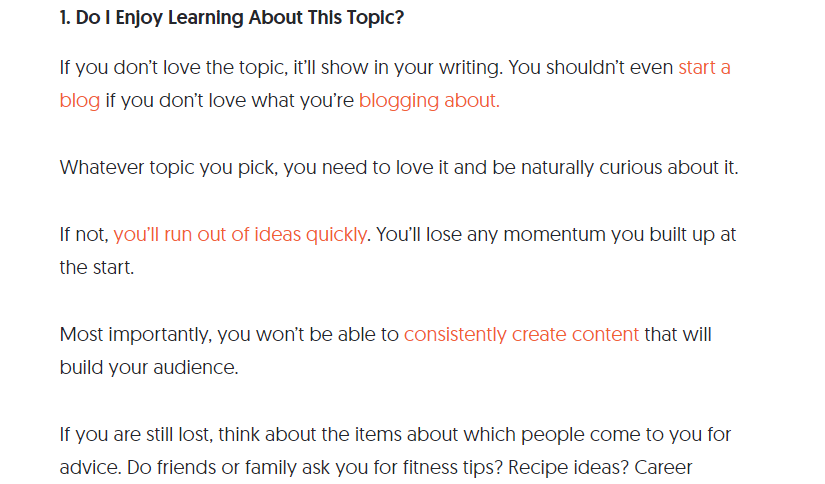
Google’s link guidance recommends descriptive, relevant anchor text and contextual internal links. Links can help Google discover pages and understand their relationships, but adding them does not guarantee higher rankings.
Before publishing, open each destination, check that it works, and remove unnecessary repetition. Brand Vision’s guide to structured writing for blog SEO and conversion explores how structure and internal linking work together.
4. Make the Language and Page Easy to Read
A post can only persuade or educate people if they can understand it. Using a difficult word simply to sound impressive usually adds friction rather than value. This matters whether you are writing a technical tutorial or broader compelling blog content.
Readability is not the same as making every sentence short or every idea simple. Technical or specialist subjects sometimes require precise terminology. When that happens, give readers enough context to understand the term instead of assuming that everyone already knows it.
For example, replace “Optimize your receivables management process to facilitate timely remittance” with “Make it easier for clients to pay on time: put the due date, payment method, and contact details on each invoice.” This hypothetical rewrite names the action instead of hiding it behind jargon.
- Break up sentences that carry too many separate ideas, while varying sentence length naturally.
- Keep paragraphs focused and manageable, especially for people reading on mobile devices.
- Use descriptive headings and subheadings so readers can see how the article is organized.
- Use bullets or numbered lists when they make a set of steps, examples, or comparisons easier to scan.
Also check the content that is not ordinary paragraph text. Explain what a chart shows and include a text alternative for an informative image. The W3C’s web accessibility writing guidance recommends meaningful headings, clear link text, and text alternatives that communicate an image’s information or function.
Keep the Voice Consistent Without Adding Jargon
Translate your brand strategy into practical writing choices. Define how you address readers, explain unfamiliar terms, and qualify claims. “Approachable and precise” is more useful with an example: “Here is what to check” rather than “Leverage our comprehensive solution.” Keep the same standards across contributors without making every sentence sound identical.
Check the Reading Experience on the Page
Preview the article at narrow and wide screen sizes. Check for clipped headings, oversized images, unreadable screenshot text, and overlays that cover the content. Keep important instructions in ordinary text rather than only in a graphic. Recurring problems with hierarchy or navigation may need UI/UX design work rather than another copy edit.
For a wider review of the site that carries the blog, use the website design checklist to assess mobile layouts, accessibility, forms, and launch readiness. The writing review should still stand on its own: a reader must be able to follow the explanation without relying on the layout to fill in missing steps.
5. Add Original Value and Attribute Your Sources
Originality means contributing something useful as well as avoiding copied wording. A worked example, a decision rule, an explanation of a common mistake, or an honestly documented observation can make a familiar topic more helpful. Do not invent personal experience or customer results to make an article sound authoritative.
Google’s people-first content guidance asks whether material adds value beyond rewriting other sources. It also states that Google has no preferred word count. Write enough to answer the question and explain the necessary limits, then remove repetition.
Plagiarism can happen accidentally when copied phrases and research notes make their way into a draft without clear attribution. Keep exact quotations visibly separate in your notes, with the source beside them. When paraphrasing, explain the idea in your own structure and wording, then check it against the source for accuracy.
- When you use someone else’s exact words, quote them and provide the appropriate attribution.
- Credit distinctive outside ideas and link factual claims or data to the source that supports them.
- Keep dates, sample limitations, and other context that could change how a reader interprets the claim.
- After drafting, an online plagiarism checker can help flag matching passages that deserve another look.
Use a plagiarism checker to investigate matching passages, not to approve the article automatically. It does not decide whether your explanation is useful or your sources support your claims. If it flags a passage, decide whether it needs to be rewritten, quoted, or cited. Likewise, treat any AI-generated quotation, statistic, or source suggestion as unverified until you have checked the original material yourself.
6. Edit the Draft With the Reader in Mind
The first draft is rarely the final one. Once the main ideas are on the page, review the article from the reader’s perspective. Remove repetition, strengthen weak transitions, check that each heading delivers what it promises, and verify every link and source.
Separate the review into three passes so that correcting commas does not distract you from a missing answer:
- Check substance. Ask a reviewer to explain the answer or follow the steps without extra coaching. Fix the first point where they need information the draft does not provide. Qualify uncertain claims and remove sections that do not serve the brief.
- Check expression. Read aloud for awkward phrasing, unexplained terms, repeated points, and abrupt transitions. Check each heading against the paragraphs beneath it, and keep the voice consistent with the business and audience.
- Check publication details. Confirm that the title, description, and opening promise the same answer. Open every link, review source attribution and image captions, and test the next action. A download link should open the intended file; a contact link should lead to the promised contact route.
Choose a Useful Ending and a Review Owner
Choose an ending that fits the reader’s next need. A beginner may need to try the checklist before contacting anyone. A reader comparing providers may be ready for a service page. For service businesses, the website copywriting framework explains how pages, proof, and calls to action fit together.
If the article supports broader SEO work, its next step should connect naturally to the surrounding site. If it belongs to a wider digital marketing campaign, keep its promise consistent with the emails, social posts, and other material that bring people to it.
Before handing off the post, name the person responsible for reviewing information that may change. Record which claims depend on product features, prices, policies, or dated research. Schedule reviews around those dependencies instead of changing the displayed date without checking the content.
A useful blog post keeps the promise made in its title, gives readers enough detail to act, and makes its evidence easy to check. Use the writing brief to decide when the draft has delivered that promise, then stop adding material that does not help.
For help connecting your blog content, search strategy, and website experience, contact Brand Vision to discuss your priorities.